
Summary
How can I build the HoloLens app more easily?
MRTK provide Build Window that make it easy to build & deploy.
Prerequisites
- Unity v2020.3.20f1
-
Mixed Reality Toolkit v2.7.2
- MixedReality.Toolkit.Unity.Foundation.2.7.2
- MixedReality.Toolkit.Unity.Tools.2.7.2
- Windows 10 v21H1
Steps
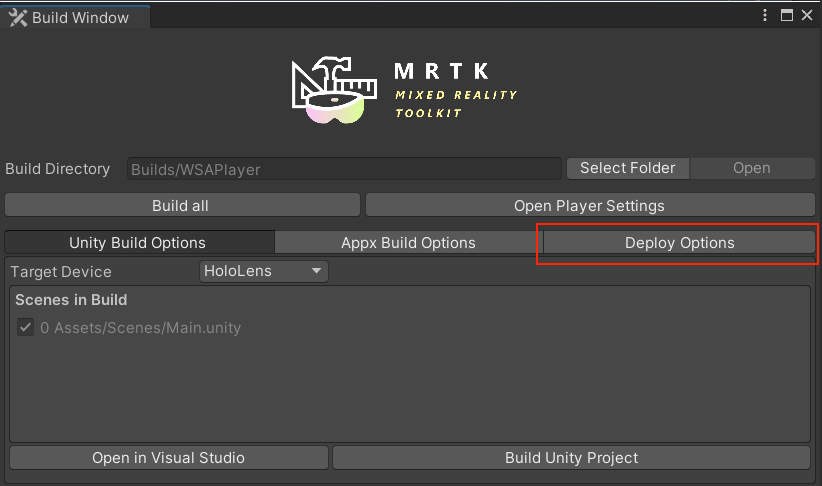
Click Mixed Reality > Toolkit > Utilities > Build Window which will
open the following window. If you finished to setup build settings,
click Deploy Options.
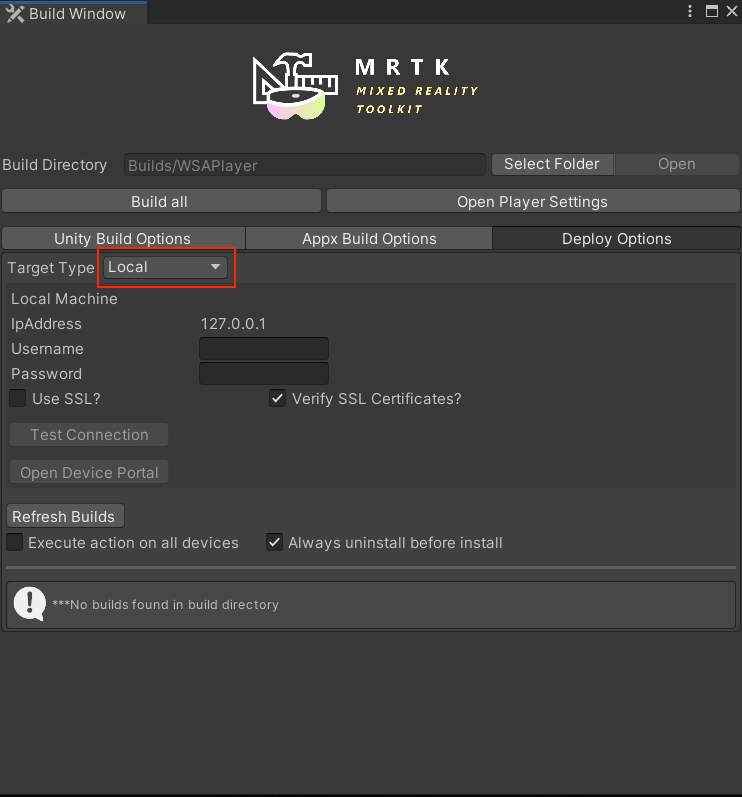
Click Target Type pull-down menu, then select Remote.
Next, type information which you need to access HoloLens to the following fields:
- IP Address
- Username
- Password
- Use SSL?
-
Verify SSL Certificates?
- If you get a warning that is certificate verification page when you access the Windows Device Portal with your web browser, it's probably not to trust the certificate. So, turn off this field.
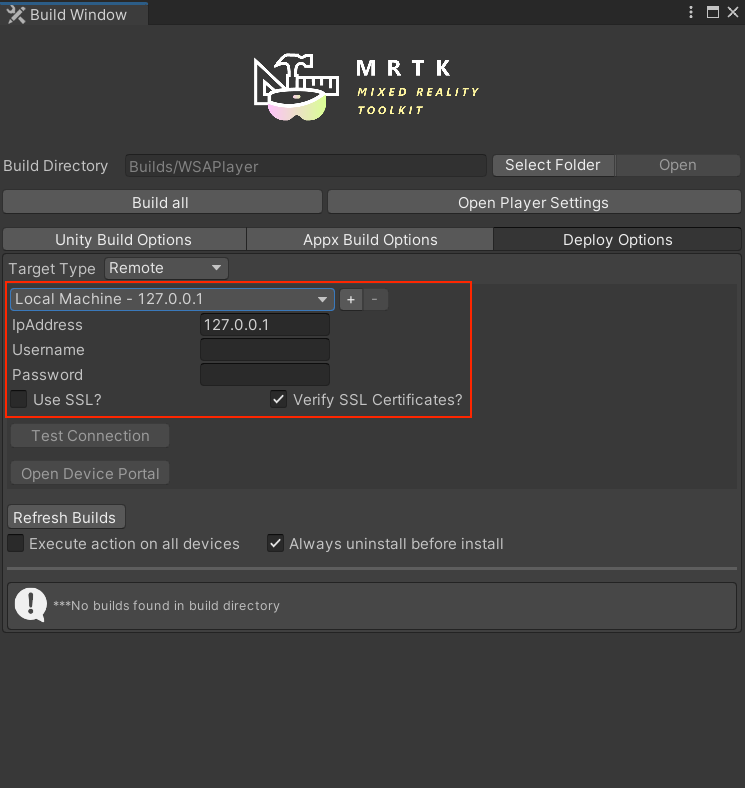
If you finished to fill, click a plus button. Then, try
Test Connection.
If you get
Authentication failed! Device Not Found | No Response Headers error,
please review entered information.

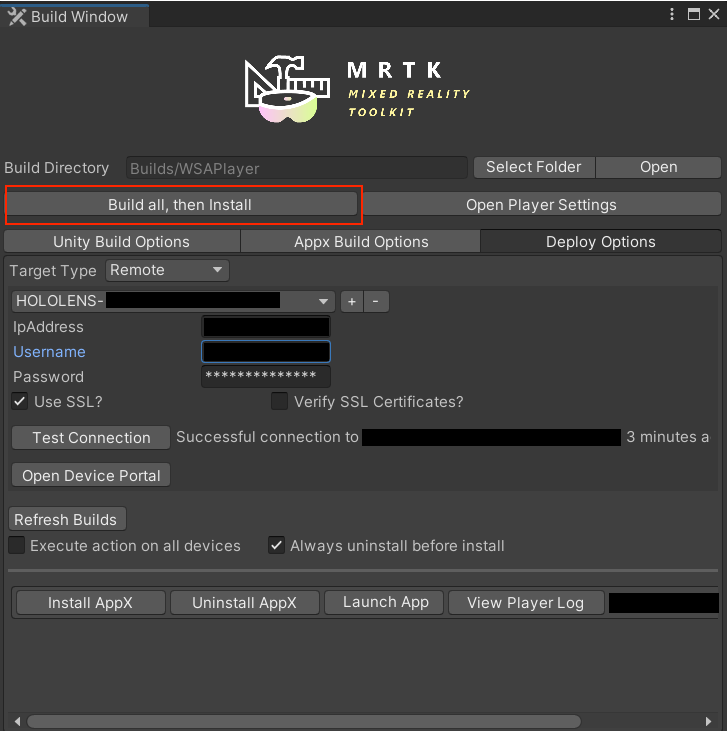
Finally, click Build all, then Install button. It will deploy AppX to
your HoloLens.
Note:
Launch App button You can launch your app built here with the
Launch App button.